Image Generation
Turn your ideas into new visual directions.
Generate brand visuals, separate image layers, and reuse a visual style in your browser or Figma.
Explore Visual StudioGenerate fresh visuals. Split them into image layers. Save a style you can return to.
Explore Visual Studio


Turn your ideas into new visual directions.
Separate images into elements you can rearrange.
Reuse a visual style across your brand.
Illustrative workflow. AI-separated elements are image layers; editable text and vector recovery are not guaranteed.
A familiar home for your design process. Create in your browser or in Figma—your choice.
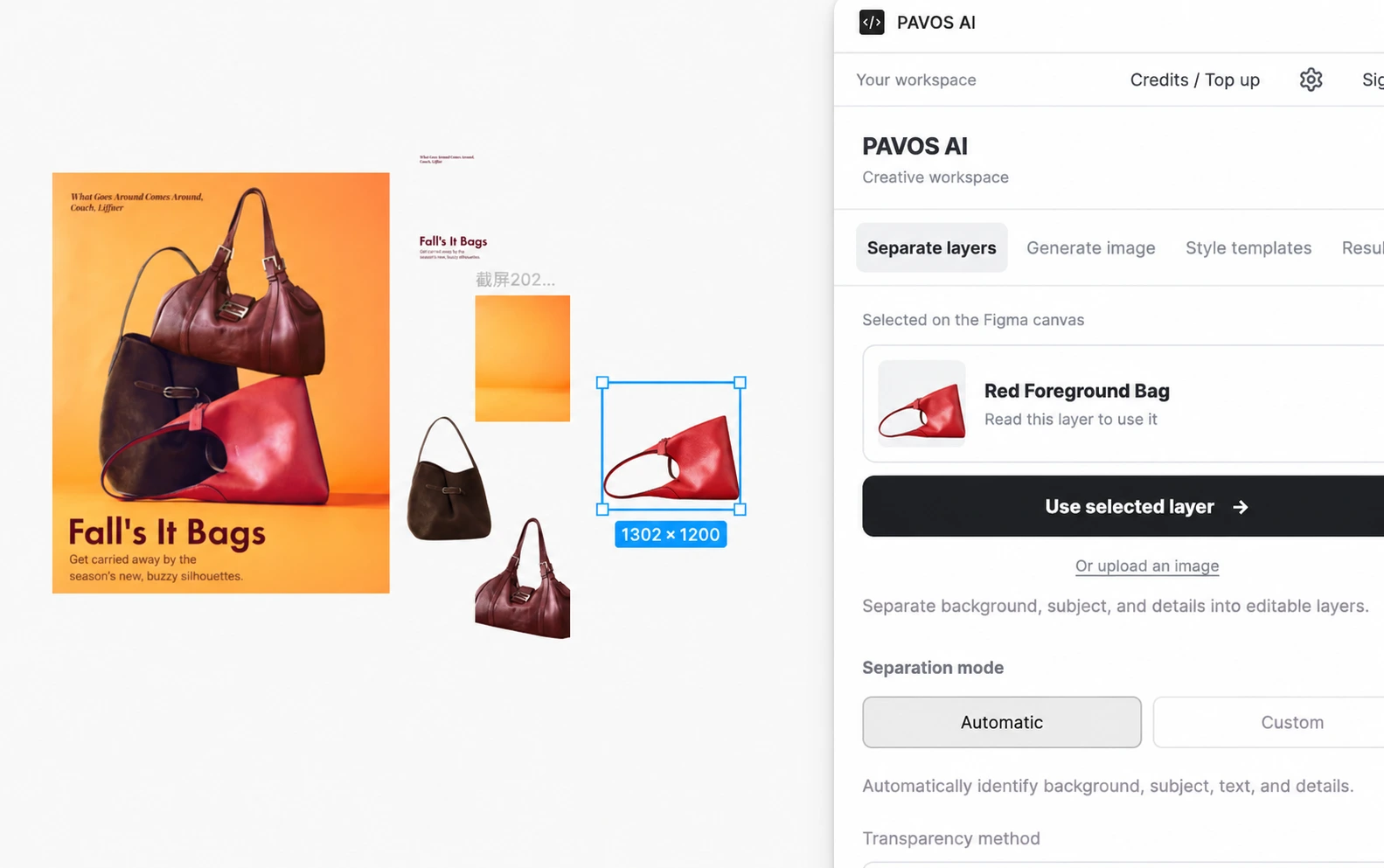
Pavos is an AI agent workspace for ecommerce teams. Organize product facts, research public sources, draft Amazon listings, and prepare marketing work with focused agents. Creator Hub and Visual Studio are specialist capabilities within that workspace.
Start with a product brief, a research question, a listing draft, or a marketing task. Agents can organize facts, prepare source-backed research, draft copy and image plans, and help with creator or visual workflows. Available actions depend on configured services; review the plan and outputs before use.
Yes. Creator discovery supports Instagram, TikTok, and YouTube, with platform, region, language, and category filters. Available data depends on connected sources. The website features curated public TikTok and YouTube profiles; changing filters here does not run a live search.
Yes. Visual Studio and Creator Hub have separate entry points. You can focus on image creation in the browser or use the Pavos Figma plugin as part of your design process.
Separated elements are primarily image layers. You can rearrange, resize, hide, and reuse them, but lettering may stay inside an image. Review AI results against the original and add your own text when precise typography matters.
Agents have defined roles and can use configured skills, tools, connectors, and workspace knowledge. These can extend the kinds of tasks you bring into the workspace. Services and permissions must be configured before a connected action is available.
The local website and Agent workspace share local accounts and credits. Demo tasks are free; authenticated model calls use actual token usage, and GPT Image 2 VIP generation costs 40 credits per image. Local accounts and test top-ups are not connected to Supabase or payments. Live Figma credits remain separate.
Bring your goal, your product context, and your team.